
Key takeaways
- Clarity Review read 10 Australian government modules, more than 110,000 words, in about half an hour.
- All 10 were rated Good or Great. The issues were in the detail, 61 in total, with 4 rated High.
- The most serious were quiz and scenario feedback that doesn't match the question.
- Many images and controls had no useful description for people using a screen reader.
- Long sentences were the most common issue, and each came with a plainer rewrite.
- Every finding quotes the exact words on screen, so a team can go straight to the fix.
One module holds more than any one person can catch
It's incredibly hard to release a perfect eLearning module. One module can hold thousands of words, dozens of images, scenarios, knowledge checks and quizzes. Getting all of that right takes a highly capable proofreader with time to go through every screen, every layer and every piece of feedback. Most learning teams don't have one.
That's why we built Clarity Review, one of the tools in the Clarity Box. It reads a finished SCORM module and checks its writing, accessibility, interactivity and media.
We wanted to see what it made of real modules, built by real teams, for real learners. Some Australian government agencies publish their eLearning as free SCORM downloads so other organisations can use them, which gave us a good test set.
What we reviewed and how
We downloaded 10 free modules from three Australian Government agencies:
- the Digital Transformation Agency's AI fundamentals training
- the Commonwealth Ombudsman's Public Interest Disclosure module
- 8 workplace modules from the Fair Work Ombudsman, covering topics like hiring, managing performance and pay slips.
One was built in Rise and nine in Storyline. We ran them through Clarity Review on our own computer, using our own AI account. Then a person checked every finding against the course files. Each quoted example had to appear word for word on the screen it named, the issue had to be real when read in context, and the suggested fix had to address it. Every quoted example passed the first test.
What we found
These modules are good. 3 of the 10 were rated Great overall and the other 7 Good. The scenarios were realistic, the topics were well chosen and most of the writing was clear.
The issues were in the detail. After checking, we counted 61 issues across the 10 modules. Only 4 were rated High, 25 were Medium and 32 were Low. Most of them are the sort of thing a team could fix in an afternoon.
Writing accounted for most of them, with 37 issues. Accessibility came next with 19, then interactivity with 4 and media with 1.
| Module topic | Built in | Overall score | Grade | Issues |
|---|---|---|---|---|
| AI fundamentals | Rise | 85 | Great | 4 |
| Hiring employees | Storyline | 83 | Great | 4 |
| Managing performance | Storyline | 83 | Great | 5 |
| Diversity and discrimination | Storyline | 79 | Good | 8 |
| Workplace flexibility | Storyline | 79 | Good | 5 |
| Starting a new job | Storyline | 79 | Good | 9 |
| Compliance notices | Storyline | 79 | Good | 3 |
| Difficult conversations | Storyline | 76 | Good | 6 |
| Record keeping and pay slips | Storyline | 73 | Good | 10 |
| Public Interest Disclosure | Storyline | 69 | Good | 7 |
Clarity Review scores each area out of 100 and weights them into an overall score. A module with a High issue, or more than four Medium ones, is held at 79 at most, so it can't be rated Great until those are fixed. That's why several modules sit on 79.
We think that's an encouraging result. It suggests the hard parts of eLearning, like the structure and the scenarios, are being done well. What slips through is the final polish, which is often the first thing to go when a project runs short of time.
Three patterns
1. Feedback that doesn't match the question
The most serious issues were in quiz and scenario feedback. Feedback is where a learner finds out whether they've understood, so a mismatch there can undo the learning.
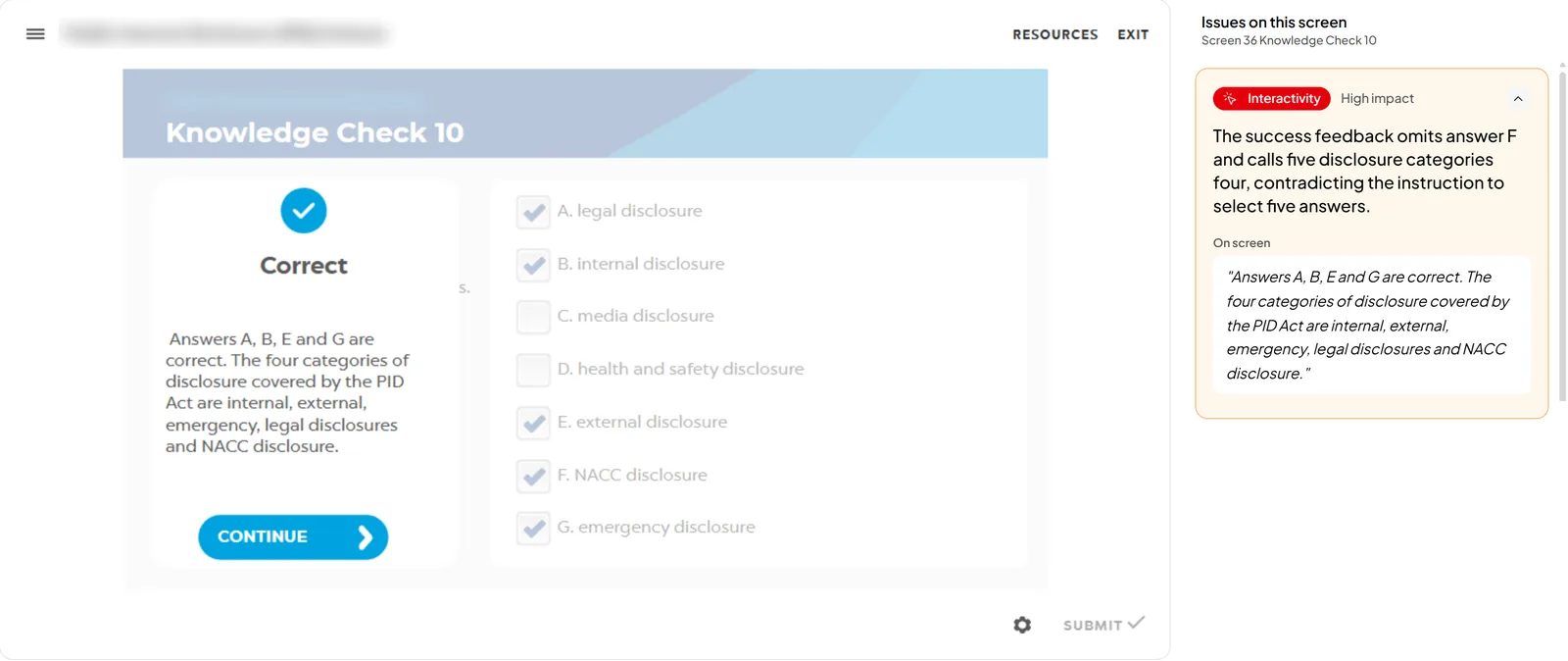
In one knowledge check, learners are asked to "select the five correct answers". When they get it right, the feedback says "Answers A, B, E and G are correct. The four categories of disclosure covered by the PID Act are internal, external, emergency, legal disclosures and NACC disclosure." It names four answers, calls the categories four, then lists five.
We found others like it. In one scenario, the learner reads that they "accept the change in writing", and the feedback then asks "without anything in writing, can you prove it?" In another module, the feedback for a correct answer tells learners that "publicly available information is trustworthy and safe to use", which may conflict with the care the rest of the module asks for.
2. Images and controls that a screen reader can't describe
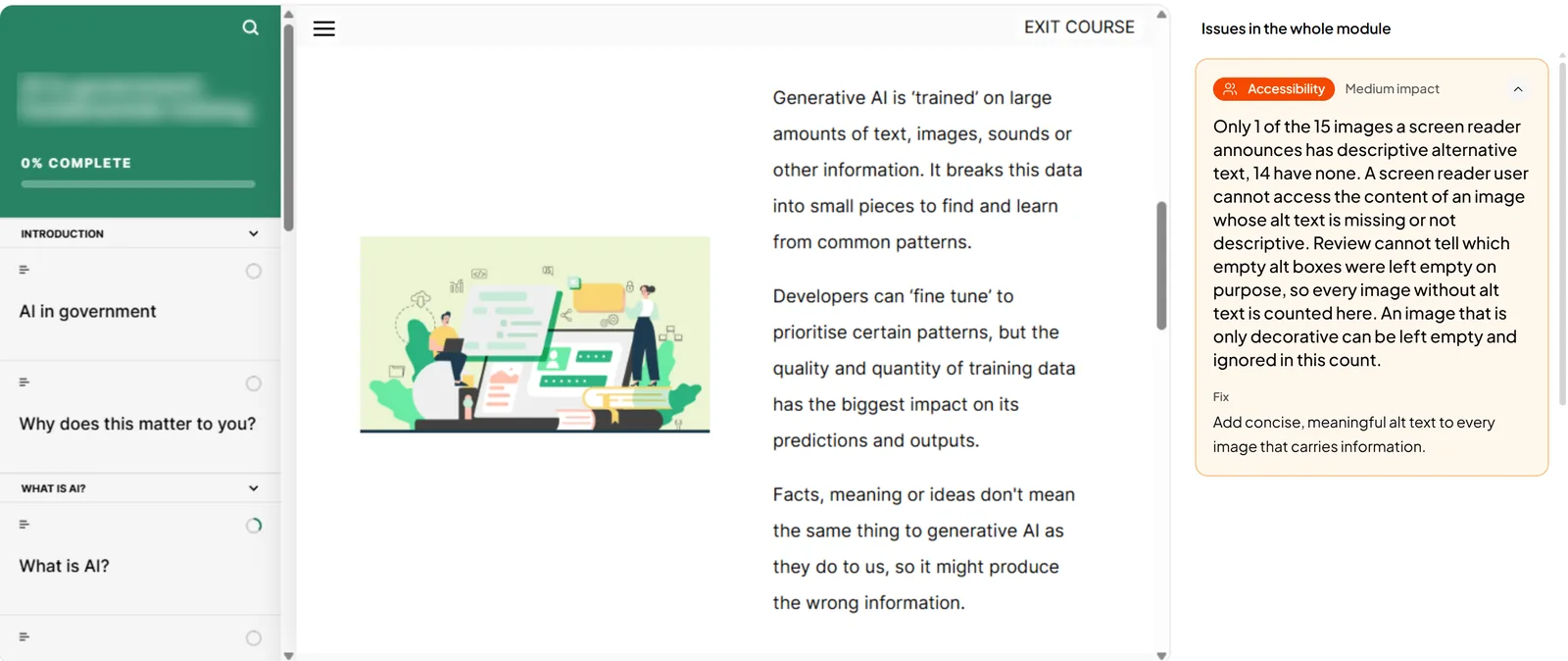
Several modules had images with no useful alternative text. In one module, only 1 of the 15 images a screen reader announces had a description. In others, the alt text was a file name, such as "shutterstock_761579866.jpg", so that's what a screen reader user hears.
The same thing happens with buttons and menus. In one module, a list of Australian states and territories is read out as "Drop down 1", then "Personal", then "Sensitive" for each state. A sighted learner sees the names of the states. A screen reader user doesn't.
These are easy fixes, and we think they're mostly a process gap. Alt text and control names tend to get forgotten when they aren't part of a checklist, and they're invisible unless you test with a screen reader.
3. Sentences that try to say too much
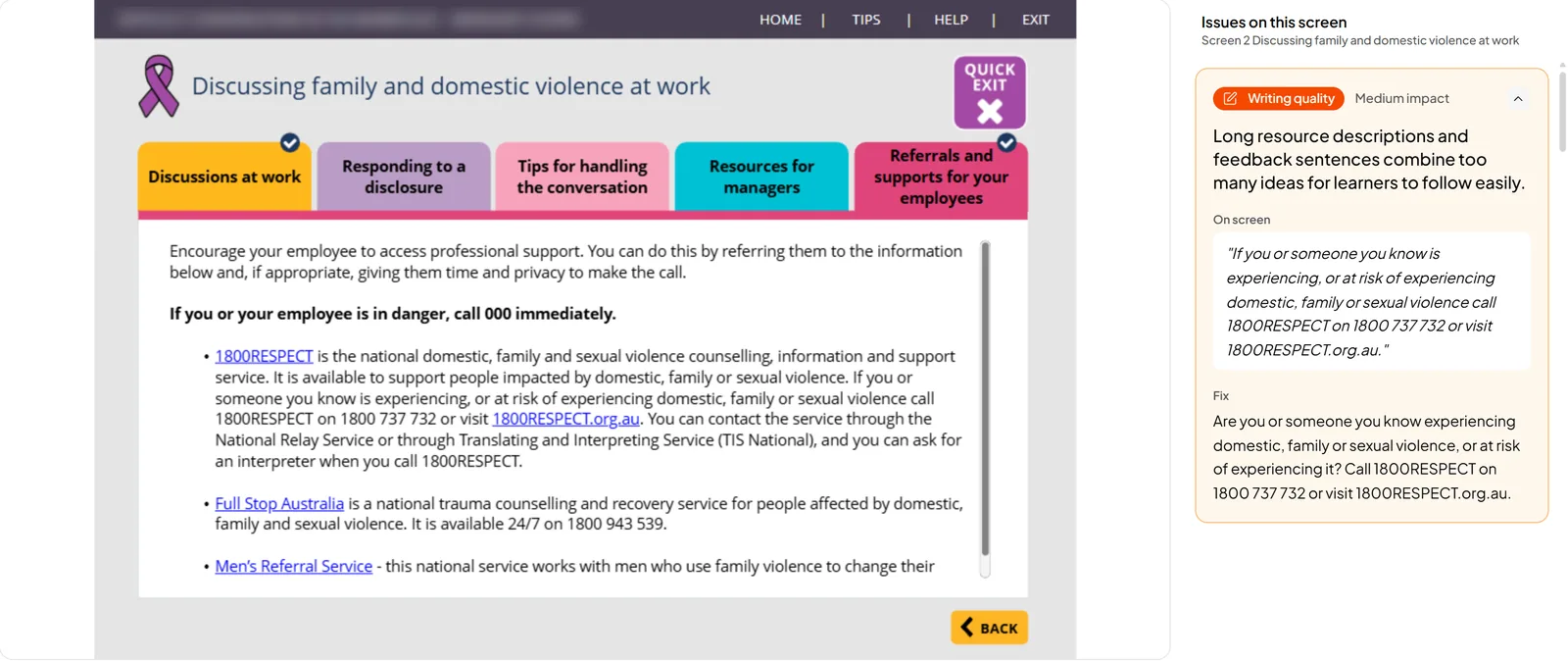
The most common issue was long sentences that pack several ideas into one. They're accurate, but the reader has to hold everything in their head to get to the point.
Here are two more from the same module.
Before"When you contact 1800RESPECT you will be talking with a counsellor who will listen and support you in what feels right for your situation, working with you to identify what you can do and finding the right services or support for you."
After"When you contact 1800RESPECT, a counsellor will listen and support you in deciding what feels right for your situation. They will help you identify your next steps and find suitable services or support."
Before"If you want to suggest an outcome phrase it in a way that invites discussion, like ‘I think…’ or ‘I wonder whether…’, instead of ‘I have decided’."
After"If you want to suggest an outcome, use wording that invites discussion. Try ‘I think…’ or ‘I wonder whether…’ instead of ‘I have decided’."
Neither rewrite changes the meaning. They just put one idea in each sentence.
What this means for a learning team
Clarity Review read all 10 modules, more than 110,000 words across more than 600 screens, in about half an hour. We think a careful proofreader would need days, if not weeks, to do the same.
It reads the parts that are easy to miss. That includes every feedback layer, every quiz option and the names a screen reader announces, not just the text on the main screen.
Each finding names the screen, quotes the exact words and suggests a fix, so a team can go straight to the problem. The grades show where to start.
A person stays in charge of what changes. Clarity Review suggests and your team decides. We'd always have someone check a rewrite of legal wording before it goes in.
About the Clarity Box
The Clarity Box is a set of tools for people who build and look after eLearning. Clarity Review checks finished modules. Clarity Create helps with storyboards, Clarity Bank keeps what your team knows in one place, and Clarity Coach adds an AI coach to a module.
The Clarity Box runs on your own computers and connects to your own AI account, so your course content goes only where your organisation already sends it. We know that matters for government and other organisations with strict rules on AI.
If you'd like to see it working on your own modules, book a demo.